
Until now, everyone on your team who could open Market Sync could see and change everything in it. With granular permissions you decide per person what they may do, so a warehouse colleague does not need the same access as the person running your finances.
Team and access
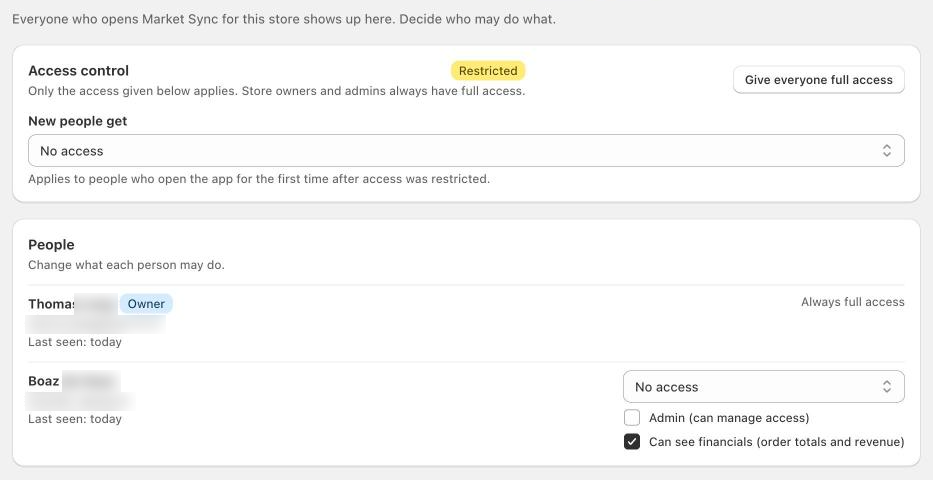
You will find the new options under Settings → Team and access. Everyone who opens Market Sync for your store shows up in this list automatically, so there is nothing to invite or set up first.
What you can control
- Access per person. Choose for each team member what they may do in Market Sync, or give them no access at all.
- Financials. Decide per person whether they can see order totals and revenue.
- Admins. Mark someone as admin to let them manage access for the rest of the team.
- Default for new people. Set what someone gets when they open the app for the first time after access was restricted.
Store owners and admins always keep full access, so you cannot lock yourself out. Prefer the way it worked before? One click on Give everyone full access switches the restrictions off again.
Granular permissions are available now for all Market Sync merchants. Questions or feedback? Reach out through the chat in the app.
