
Market Sync does most of its work in the background, which also means you rarely see how much it actually handled. The new weekly report changes that: every Monday you get one email that sums up how your marketplaces did the week before.
What is in the report
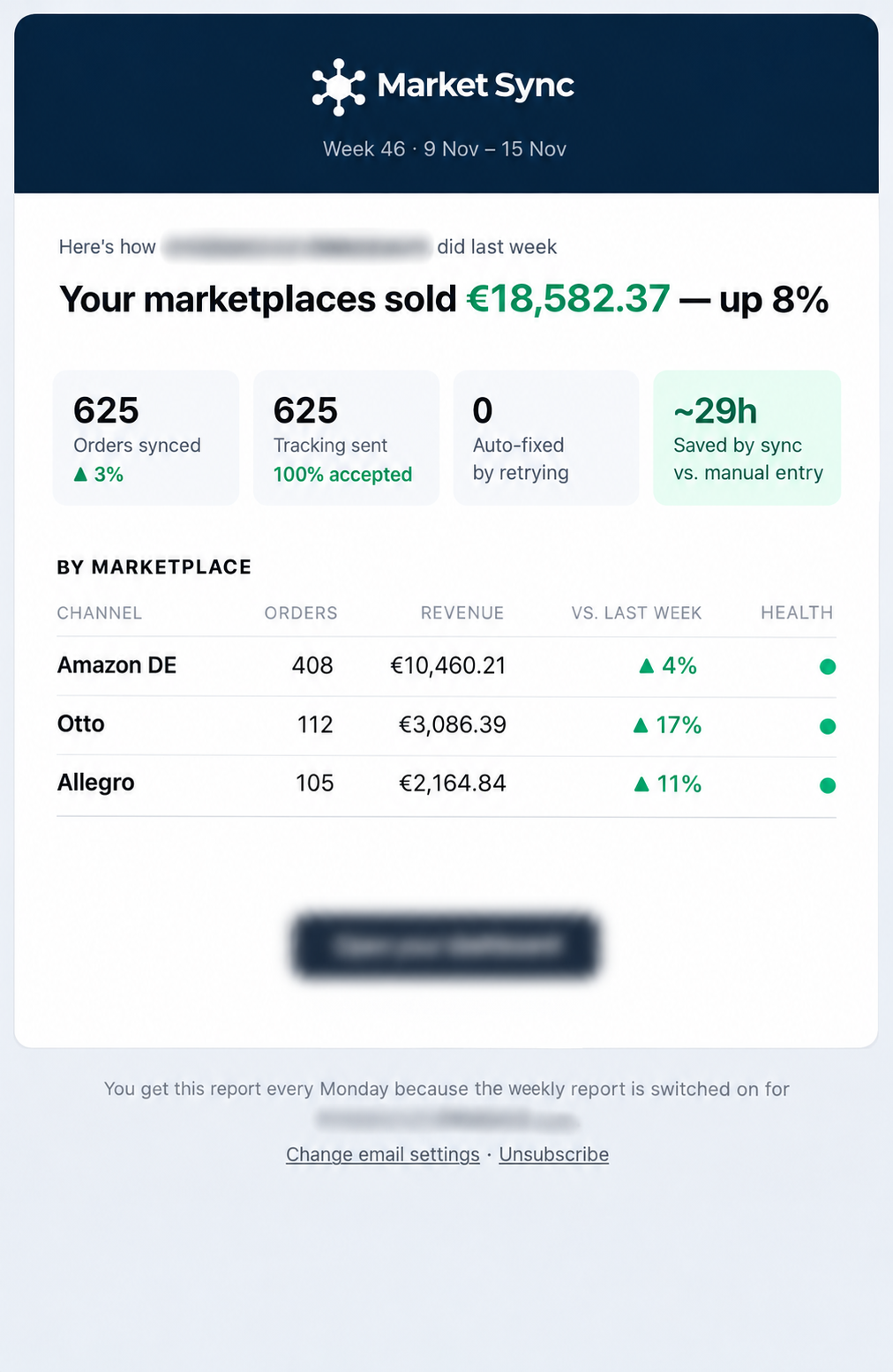
- Total marketplace sales for the week, compared with the week before.
- Orders synced and tracking sent, including how much of that tracking the marketplaces accepted.
- Problems fixed automatically by retrying, and an estimate of the hours the sync saved you compared with manual entry.
- A breakdown per marketplace with orders, revenue, the trend versus last week and a health indicator.
This is what the email looks like:
How to switch it on
The weekly report is off by default. Go to Settings → Email notifications, switch on Weekly report, add one or more email addresses and save.
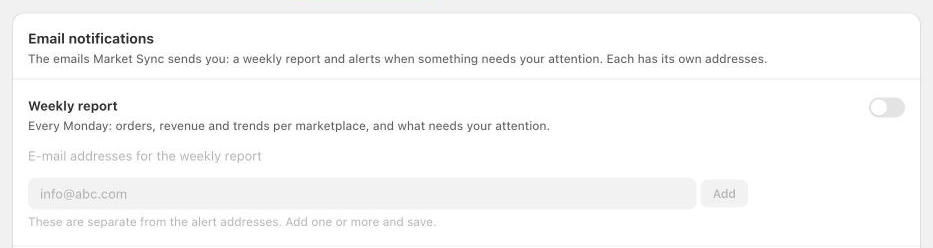
The report has its own list of recipients, separate from the alert addresses. That way the report can go to the business owner while sync alerts keep going to whoever handles the orders. Every email also has a link to change the settings or unsubscribe.
The weekly report is available now for all Market Sync merchants.
