Amazon refunds, ready to approve in Shopify

When Amazon refunds a buyer, that refund now appears in Market Sync, on the order and on a new Refunds tab, so you can approve the matching Shopify refund.

Amazon refunds, ready to approve in Shopify

When Amazon refunds a buyer, that refund appears in Market Sync, both on the order and on a new Refunds tab. You can make the same refund on the Shopify order from Market Sync. Making the refund in the webshop is Shopify-only for now. The buyer is not notified again. Restocking is optional and only applies to orders you shipped yourself. Items fulfilled by Amazon stay in Amazon’s warehouse and aren’t restocked in Shopify.
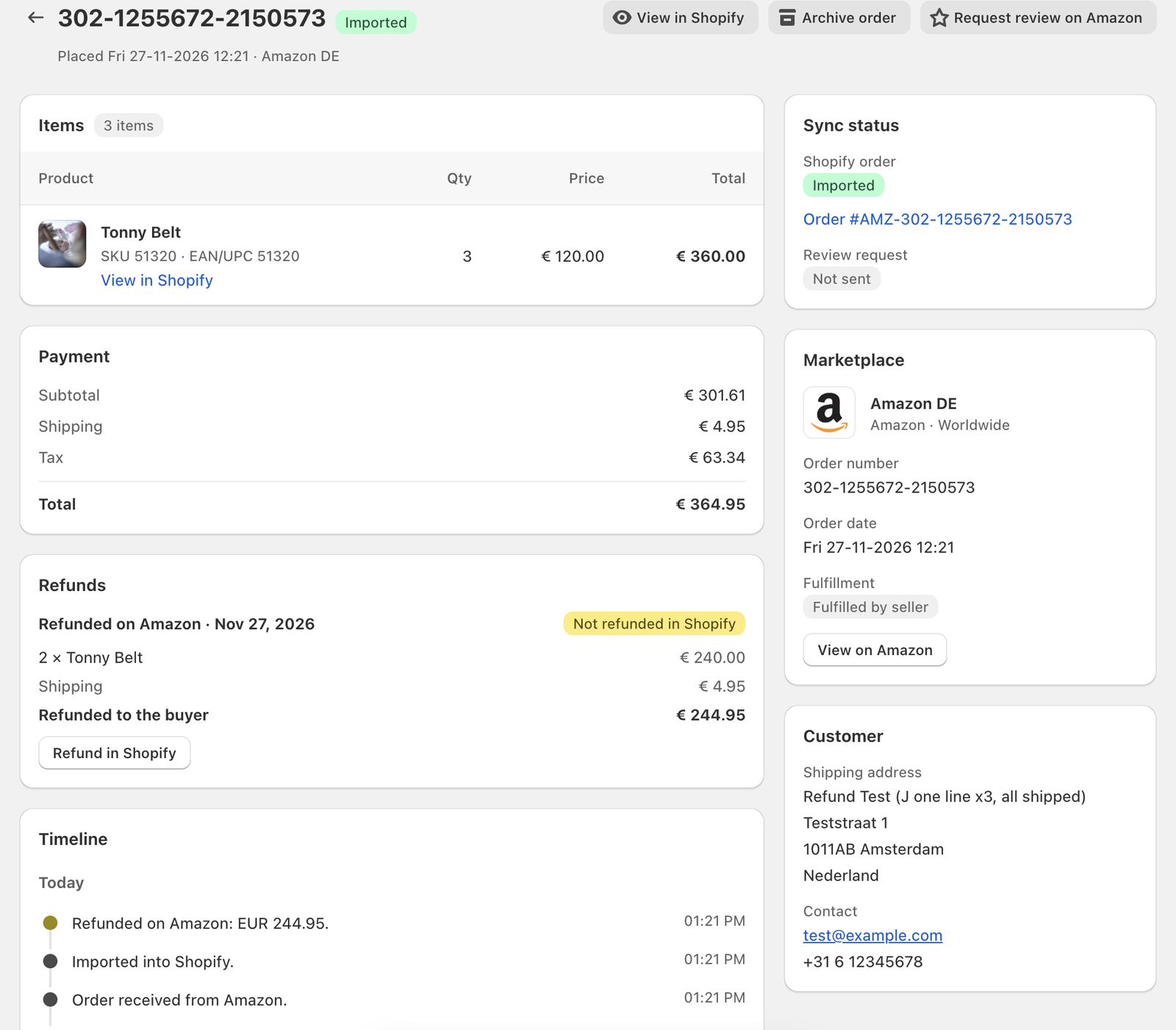
Market Sync order page showing a Refunds card for an Amazon refund of €244.95, with a yellow Not refunded in Shopify badge and a Refund in Shopify button.
The Refunds card on the order, ready to approve in Shopify.
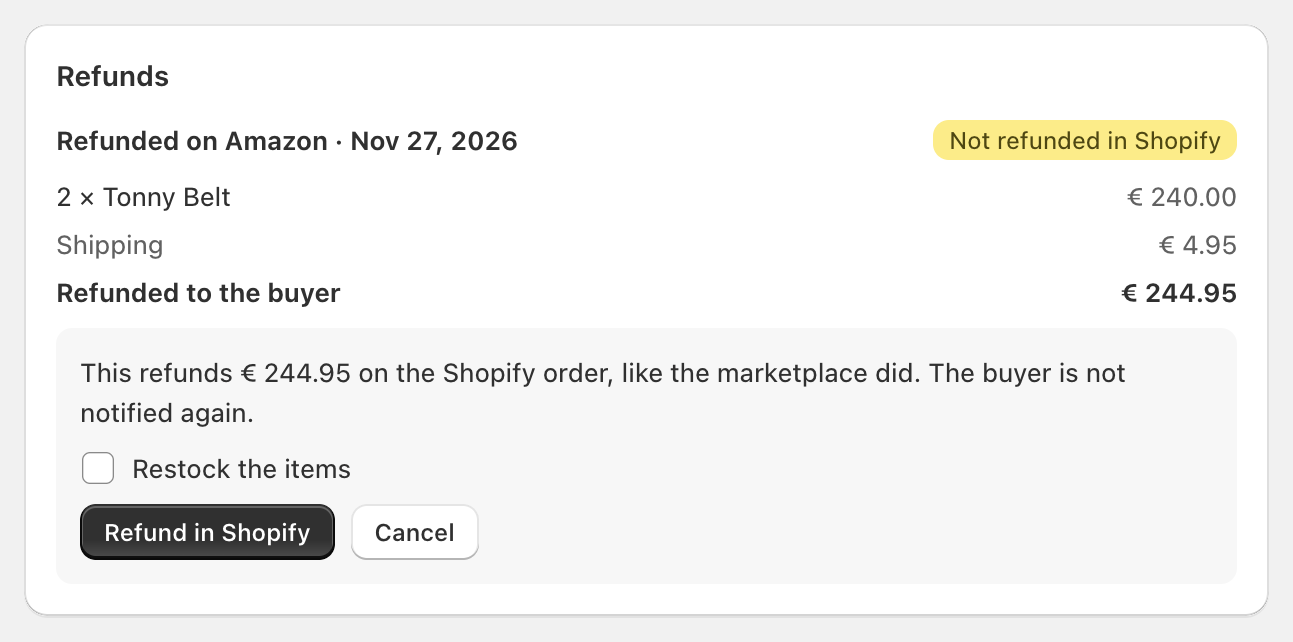
Refund confirmation panel for a €244.95 Amazon refund, with a note that the buyer is not notified again, an unticked Restock the items checkbox, and Refund in Shopify and Cancel buttons.
Confirm the refund. Restocking is optional.
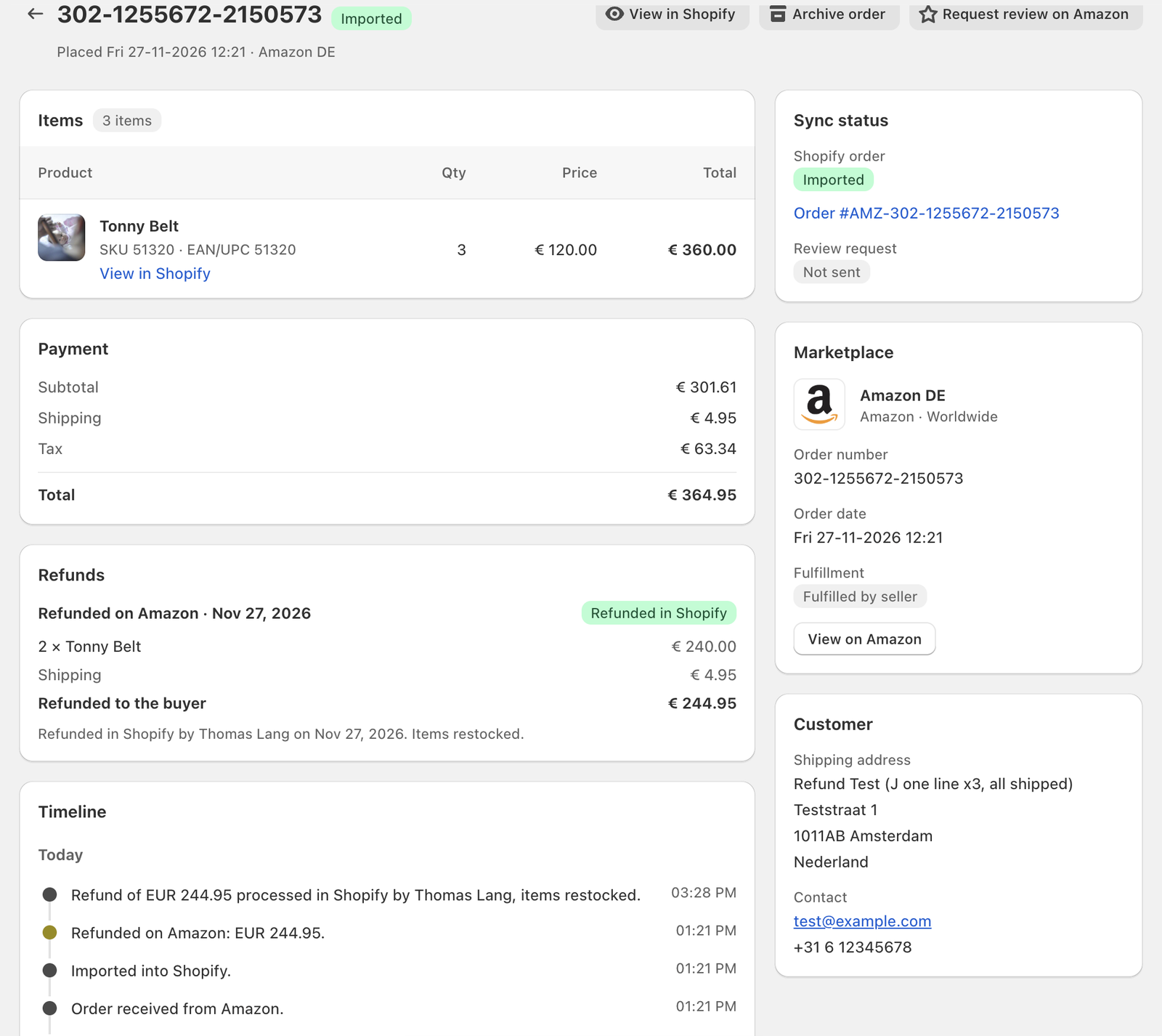
The same Market Sync order page after the refund, with a green Refunded in Shopify badge, a note that the items were refunded and restocked on 27 November 2026, and a matching timeline entry.
After you approve the refund, the status and timeline update.

By default nothing is processed automatically. If you want Market Sync to do it for you, turn on Process marketplace refunds in Shopify automatically under Settings → Orders, and optionally Restock refunded items you shipped yourself. You can also get an email when Amazon refunds an order, under Settings → Email notifications.
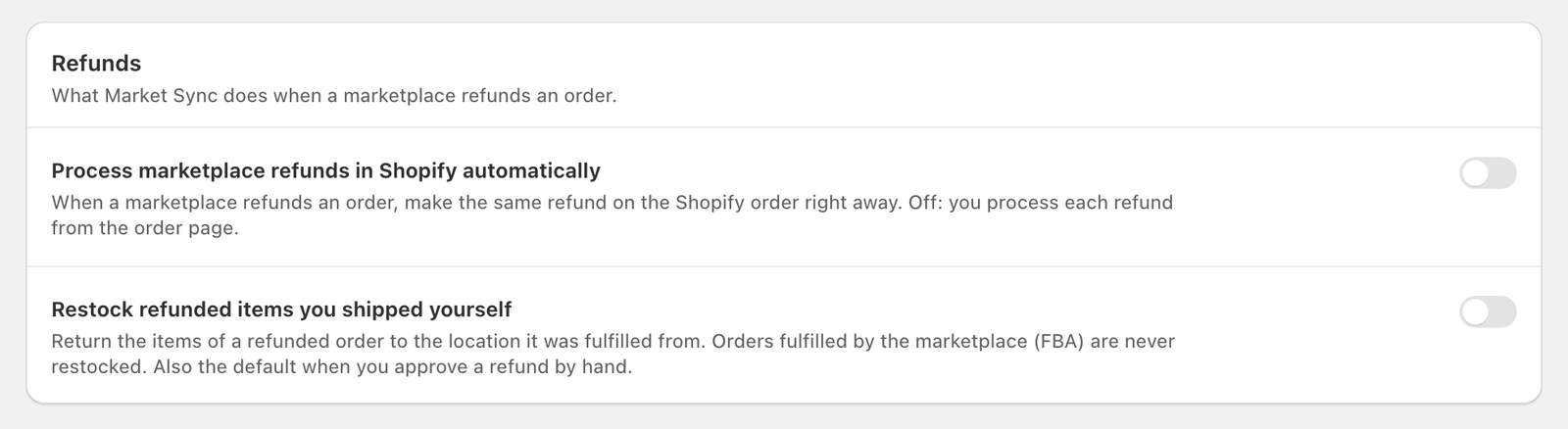
Settings Refunds section with two toggles turned off: Process marketplace refunds in Shopify automatically, and Restock refunded items you shipped yourself.
Automatic refunds and restocking are off by default.

A Refunds tab that shows what still needs a look

The tab lists Amazon refunds, shows how many there are, and highlights the ones still to be made in Shopify. You can search by order number, open the order, or approve several refunds at once, with or without restock.
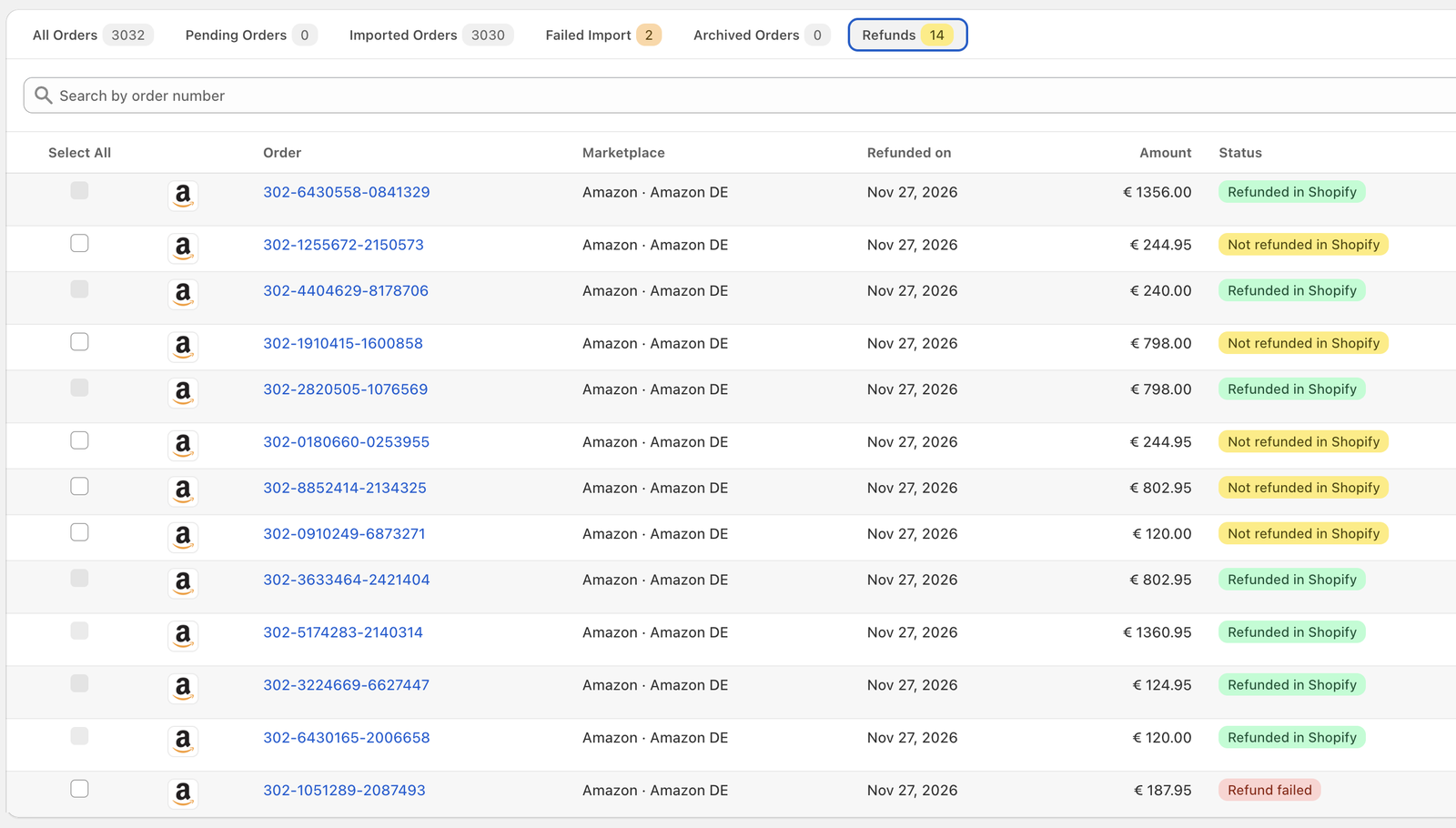
Market Sync Refunds tab listing 14 refunds, with a count on the tab, a search-by-order-number field, and statuses including Refunded in Shopify, Not refunded in Shopify, and Refund failed.
The Refunds tab, with a count of refunds and the ones still to be made in Shopify.

Leave a Reply

Your email address will not be published. Required fields are marked *