
The post-checkout page seems like the place where marketers only think of thanking the customer for making a purchase. Because the customer has already completed their transaction, this is one of the only places where you can interact with your customers because their engagement with your shop is at its peak, without adding any risk of getting in between the purchase flow.
You might have already guessed that the idea is about post-purchase surveys. Post-purchase apps turn the standard process into a functional part of your sales and marketing because they ask customers upfront about their opinions, get zero-party data, or even ask where and how your customers found your brand. On top of it all, because the payment has already been processed, any additional purchase or piece of feedback is also a representation of average order value (AOV) and customer research.
There are many post-purchase survey app options for Shopify, but this also creates a problem of finding the right one depending on what you need to achieve. Some marketers want to know immediate revenue expansion, add attribution data, or as simple as collecting customer feedback. This is why, in this guide, we have broken down the five best post-purchase apps for Shopify. Looking at their core features, how easy they are to use, and how they perform in the real store, you can find one that fits the best.
Best post-purchase apps for Shopify
1. Apricot Post Purchase App
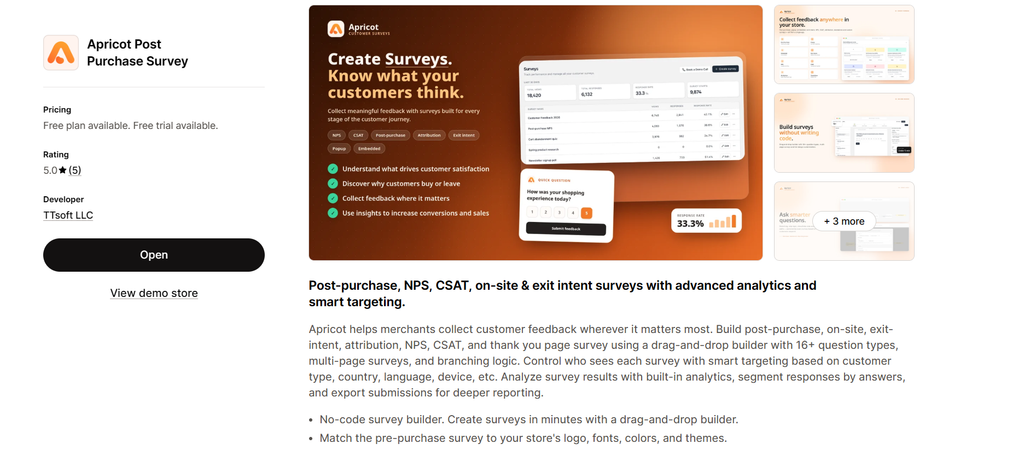
Apricot is the kind of tool that combines everything one would ever need for a survey in one app. As a post-purchase app for Shopify and one of the newest additions to the market, it is built specifically for Shopify and is easy to use; it includes everything you need to maximize what you get from surveys (branching logic, smart targeting, etc.). On top of it all, it is very affordable and highly customizable, with all kinds of templates that you would need for a survey.
Key Features
Advanced Analytics – provides you with a question-by-question breakdown for all kinds of surveys, and it even has a specific analytical section dedicated to NPS surveys. This kind of data analysis provides you with the flexibility to redirect your marketing segment, feed this data into an integration or an app like Klaviyo, Mailchimp, and so much more.
Export and data management – if advanced analytics are not enough, this feature allows you to download and analyze customer responses with specific filters and Custom segments. You can export those filtered data sets as CSV files by survey, date, Channel, status, or you can even download structured PDF reports complete with respondent metadata, full answer breakdowns, and device info.
Custom branding – this, of course, is about customization and how you can make the survey feel like part of the website and not an external task you’re asking your customers to submit. There are built-in themes that you can use, but of course you can still customize every detail, including brand colors, typography, logos, backgrounds, text styling, and so much more.
Smart targeting and branching logic – Smart targeting allows you to make your survey relevant for the specific group of customers (it can be new, returning, or all customers), as well as target customer groups in a specific language, country, or those who use a certain browser or device.
If you want to make your survey even more relevant and productive, you can use branching and logic (all of the pre-made templates come with these features enabled) to adapt your survey flow based on the customer’s answer so the feedback can be as specific as possible.
2. KNO Post-Purchase Surveys
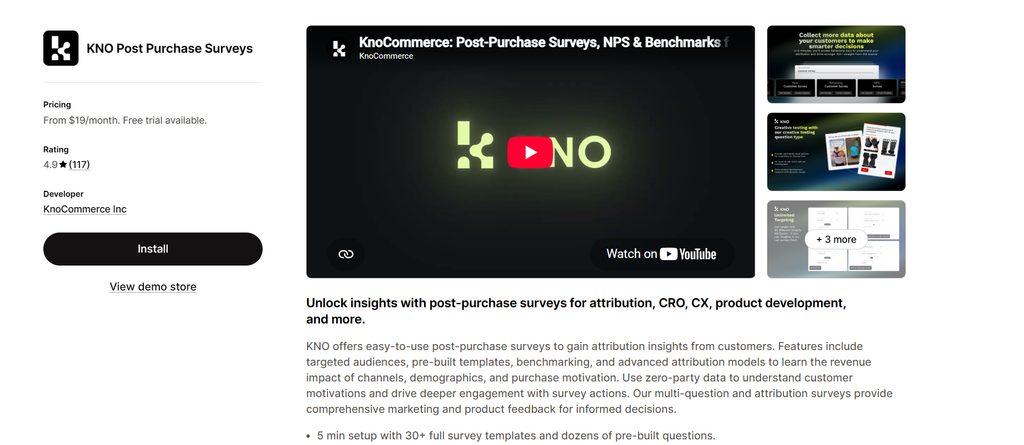
KNO Post-Purchase Surveys is one of the most popular customer feedback and zero-party data collection platforms, and it is mostly used by e-commerce brands. The feedback prompts appear directly on their order confirmation page and, of course, don’t rely on email follow-ups or third-party tracking.
Key Features
Self-reported marketing attribution – This simply means that it bypasses post-iOS 14 ad tracking limits by directly asking buyers where they heard about your brand right after checkout.
Conditional logic and 12 question types – Similar to branching logic, conditional logic adapts to the answers of the customers. The question type range allows you to have as much flexibility with your questions as possible and also make them visually engaging.
Targeting parameters – This is one of the standouts of the app. It has over 60 parameters for targeting, and it controls survey display based on customer attributes such as new, returning, or total order value, shipping region, and more.
Integrations – You can link it with Klaviyo and similar apps, but most importantly, you can connect it to ReCharge and Shopify Flow to trigger tag workflows or customer statuses automatically.
3. Ego Post-Purchase Surveys
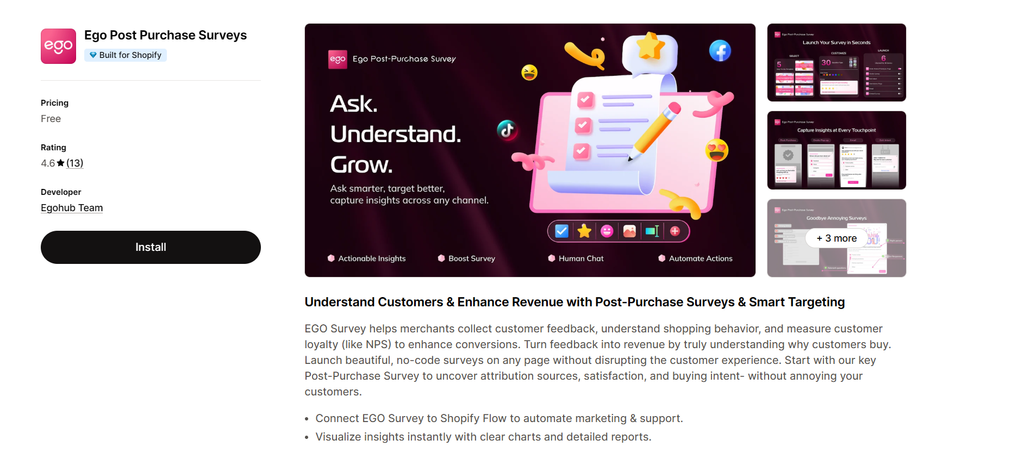
Ego Post-Purchase Surveys is a multi-touchpoint feedback tool, and like many apps for surveys, it also collects your party data, and it’s built natively for Shopify. You can use Ego because it lets you collect feedback across the entire purchase page, including things like thank-you pages, on-site pop-ups, exit intent, and more.
Key Features
Smart & Tag targeting – You can create rule-based logic to trigger specific survey flows based on customer segments, past purchase behaviors, cart active content, or the customer tags in Shopify.
Automated Shopify workflows – This means it connects directly to Shopify Flow to trigger automated back-end actions like auto-tagging unhappy buyers for customer support follow-ups or even launching a targeted post-purchase reward sequence.
Multi-channel touchpoints – this simply means you can add the survey anywhere in the Website and customer journey, so whether you want it on the post-checkout screen, on-site, or even when they want to close the tab, you can add a survey.
4. Fairing Purchase Surveys
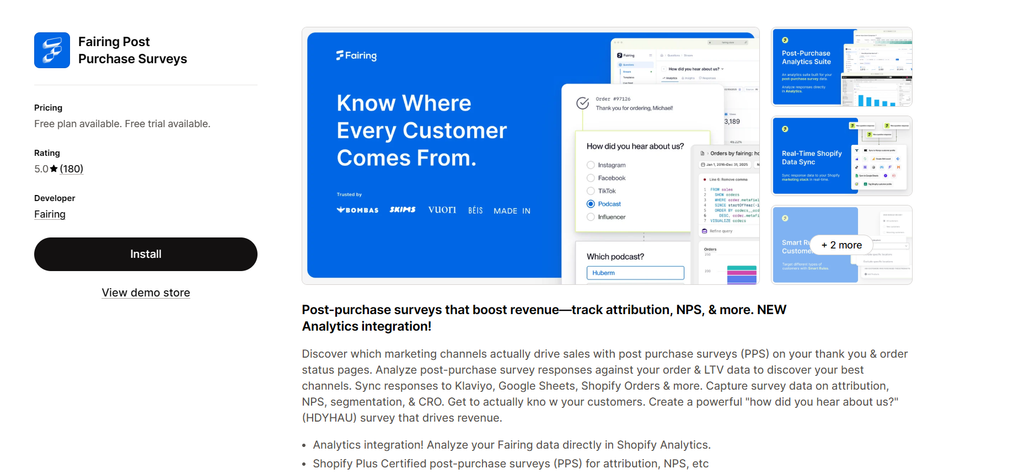
Fairing is specifically made to be a simple post-purchase survey tool. A lot of the apps come with multi-purpose tools and extra features, and if you’re looking for the simplest, single-purpose, and easy-to-use option, Fairing might be the one for you. You can add your surveys on the thank-you and order status pages, as well as access the available features.
Key Features
AI attribution – To make it even easier for a lot of customers, you can have AI-powered insights and get weekly personalized summaries for open-ended questions quickly without having to read through most of them. This way, you can get the pattern a lot easier, and you don’t have to do that manually.
Analytics – Like we mentioned, its main purpose is to be as simple as possible so you can analyze the available data collected from your surveys directly from Shopify analytics without extra tools.
Smart targeting – Based on the customer type, you can group and target that customer segment on its own based on a bunch of characteristics like language, specific product purchases, etc.
Integrations – For integrations, you can have apps that work natively with checkout extensions such as Klaviyo, Shopify POS, and more.
5. SEA Post-Purchase Survey Quiz
If you’re looking for the kind of tool that is in between recommendation quizzes and a survey, then SEA post-purchase survey quiz is something to look into. It is built with a visual-first approach so that, through engagement, it can boost survey response rates. This can influence how much of your party data you can collect and the future steps according to that.
Key Features
Order and revenue attribution tracking – It’s very similar to analytics, except that because it also has Revenue attribution tracking, this means you can have a clearer idea of return on ad spend and top-performing marketing channels.
Conditional logic – Like most of the apps in this list, it adjusts follow-up questions based on the customer’s answers before that. It can adapt based on customers’ purchase history as well.
Quiz/Survey Builder – Just from the name alone, we can see that it combines post-purchase surveys with interactive recommendation quizzes. This is helpful if you’re used to quizzes mostly and you have it in your store, but also, as you collect customers’ preferences and information, you can cross-sell complementary products.
Comparison Table for all Apps
The comparison table below highlights the key strengths of each app side by side. Instead of looking at every feature individually, you can quickly see which solution is best suited for customer research, marketing attribution, feedback collection, or post-purchase personalization.
| App | Best For | Survey & Feedback | Targeting & Logic | Attribution | Standout Feature |
| Apricot Survey | Advanced customer feedback | NPS, CSAT, post-purchase & custom surveys | Smart targeting + branching logic | Customer & survey data | Advanced analytics + customization |
| KNO Post-Purchase Surveys | Zero-party data & attribution | Post-purchase surveys with multiple question types | 60+ targeting parameters + conditional logic | Self-reported attribution | Strong attribution capabilities |
| Ego Post-Purchase Surveys | Feedback across the customer journey | Post-purchase, on-site & exit-intent surveys | Customer segments, purchase behavior & tags | Customer feedback data | Shopify Flow automation |
| Fairing Purchase Surveys | Simple post-purchase feedback | Thank-you & order status surveys | Customer and purchase-based targeting | AI-powered attribution | AI insights for survey responses |
| SEA Post-Purchase Survey Quiz | Surveys with interactive elements | Post-purchase surveys + quizzes | Conditional logic + purchase history | Revenue & order attribution | Combines surveys with product recommendations |
Conclusion
The thank-you page is one of the few places in the customer journey where engagement is naturally high, and there is no risk of interrupting the purchase process. This makes post-purchase apps valuable not only for collecting feedback but also for understanding customer behavior, measuring attribution, and discovering new opportunities for growth. If your store is getting traffic but struggling to turn visitors into customers, it’s also worth looking at the different factors that may be affecting conversions, from the shopping experience and product pages to customer trust and checkout friction. This guide on why Shopify stores get traffic but no sales covers some of the most common issues worth checking.
The best app depends on what your store needs most. Choosing the right app comes down to the type of insights you want to collect and how you plan to use them across marketing, customer experience, and future sales strategies.